Payment link
With PagaSul, you can also accept payments by using payment links. Just create a payment link and share it with your customer.
Here is a step-by-step description of the payment processing flow with the payment link.
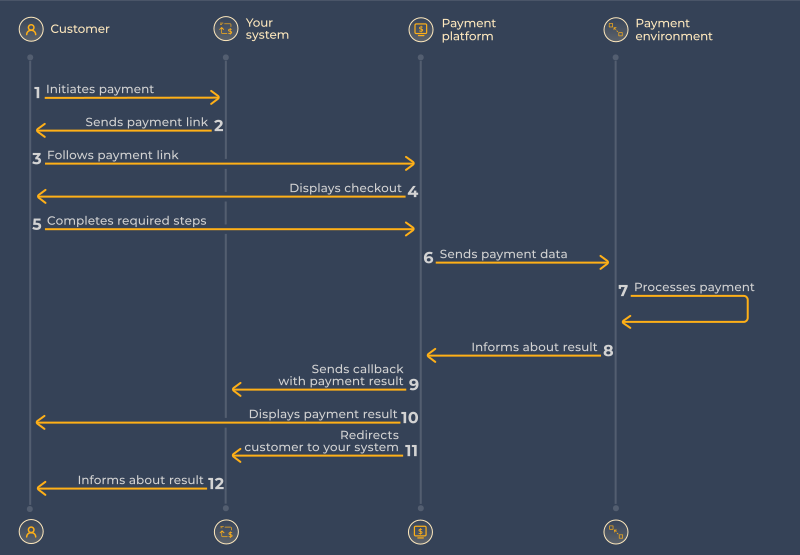
- The customer initiates a payment in your system.
- Your system generates the payment link and sends it to the customer.
- The customer follows the link.
- The checkout is displayed to the customer.
- The customer completes the payment.
- The PagaSul payment platform processes the payment and forwards the data to the payment environment.
- The payment is processed in the payment environment.
- The PagaSul payment platform receives the payment result from the payment environment.
- The payment platform sends a callback with the payment result to your system.
- The checkout displays the payment result to the customer.
- The checkout redirects the customer back to your system.
- Your system informs the customer about the payment result.
For the information on how to build a payment link, see the Creating a payment link section.